Have a Question?
How to Set Up Your Own Delivery
This setup allows you to manage your own delivery service by customizing rates and delivery times for different locations.
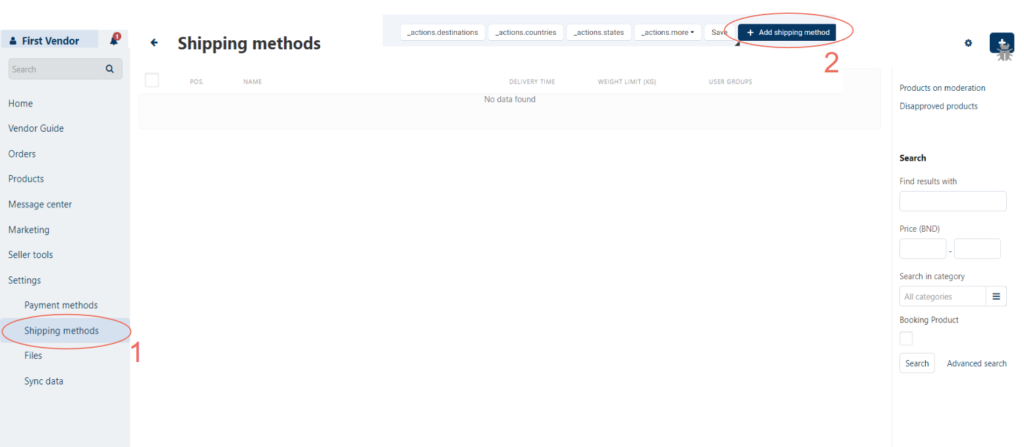
1. Go to Shipping Methods:
- Click on “Settings” and select “Shipping Methods” from the side menu.
2. Add a New Shipping Method:
- Click ‘+ Add Shipping Method’.
3. Select Delivery by Address:
- Choose “By customer’s address”, fill in the necessary details, and click “Create”.

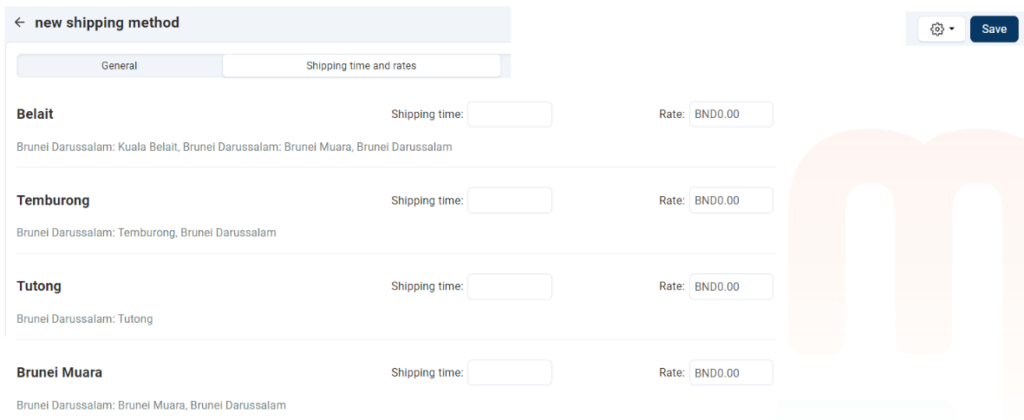
4. Set Shipping Time and Rates:
- Specify the shipping time and rate for each district.
5. Save the Settings:
- Once all details are entered, click “Save”.