
Have a Question?
How to set up SEO (Search Engine Optimization)
SEO (Search Engine Optimization) helps improve the visibility of your products on search engines. By optimizing elements like product names, descriptions, and keywords, it increases the chances of your products being discovered by potential customers, driving more traffic and boosting sales.
1. Access the SEO Tab:
- Click on the product in your store and navigate to the “SEO” tab.
2. Fill in all informations.
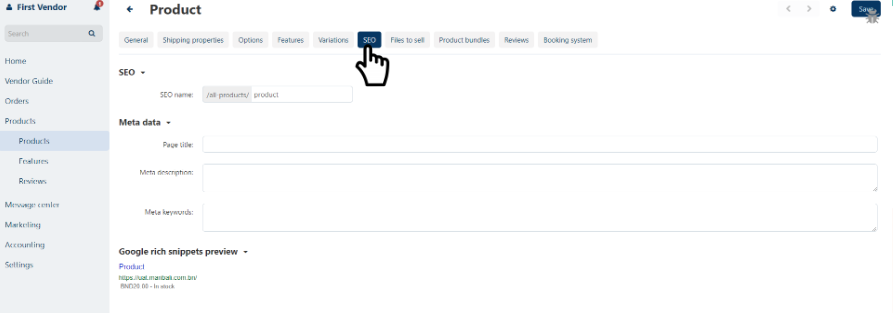
| Field | Description |
|---|---|
| SEO name | Fill in the product name. |
| Page Title | Fill in the product name. |
| Meta description | Sell your product with attractive descriptions. |
| Meta keywords | Words associated with your product that the customers are likely to search for. |