
Have a Question?
When to change order status?
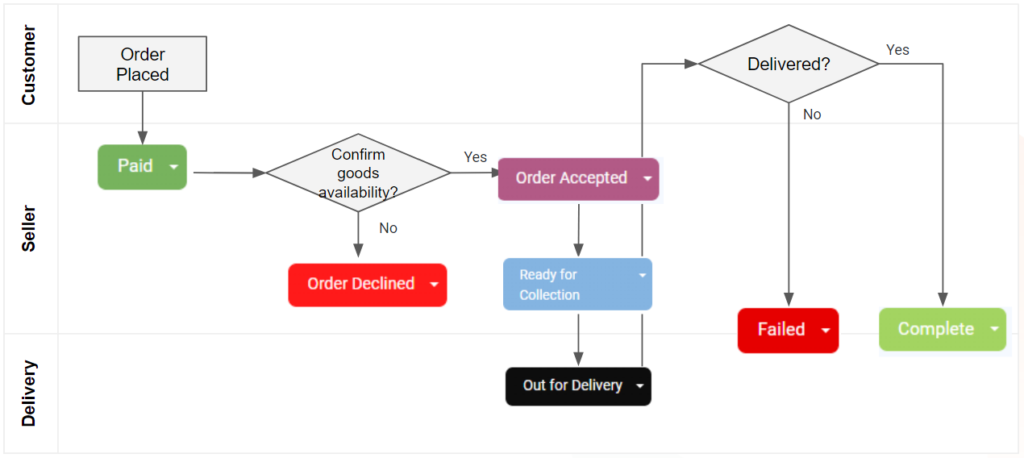
The flowchart illustrates the process of changing order status. After an Order is Placed, the status moves to Paid. The seller must then confirm the availability of goods. If available, the order is marked as Order Accepted, followed by either Ready for Collection or Out for Delivery. If the goods are not available, the order status becomes Order Declined. Once delivery is completed, the status changes to Complete; otherwise, it is marked as Failed.
IMPORTANT: Every changes in order status will trigger an automated email that is sent to the customer.