
Have a Question?
Table of Contents
< All Topics
Print
How to add store logo
Updated
Bysupport
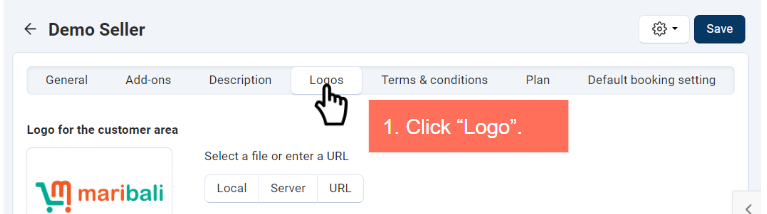
1. Click “Logo” in your store profile settings.
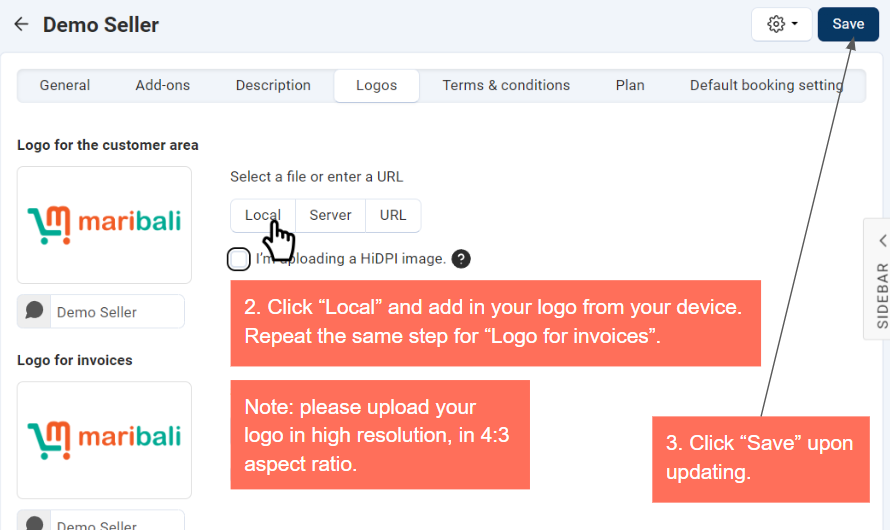
2. Click “Local” and upload a high-resolution logo with a 4:3 aspect ratio from your device.
3. Repeat the process for “Logo for invoices” if needed.
4. Click “Save” to apply changes.
Note: please upload your logo in high resolution, in 4:3 aspect ratio.
-
Products
-
Orders
-
Admin
-
Marketing
-
Shipping
-
Support