
Have a Question?
How to enable customers to pay by link
Enabling Pay by Link allows you to create a unique payment link for customers after generating an order. Customers can click the link to be directed to a secure payment page. The link is single-use, providing a convenient way for both current and non-Maribali users to complete their transactions online. To enable customers to pay by link:
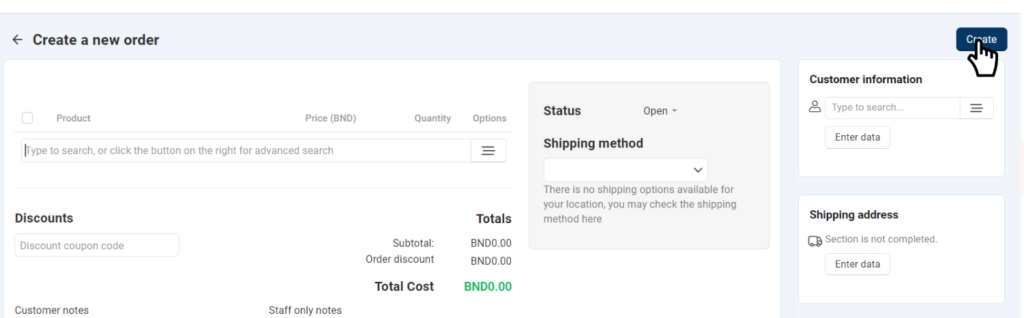
Create a New Order
1. Go to the “Order” tab from the side menu.

2. Click the “+” icon to add a new order.
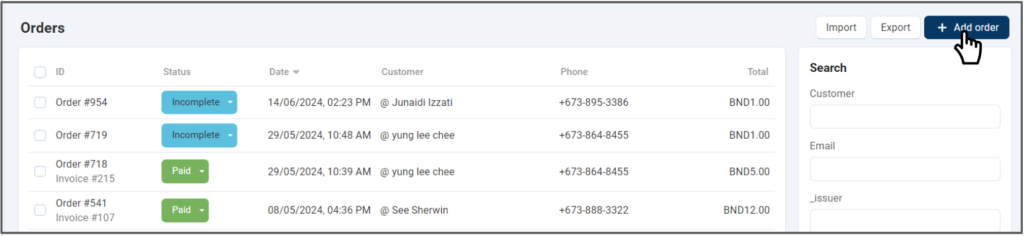
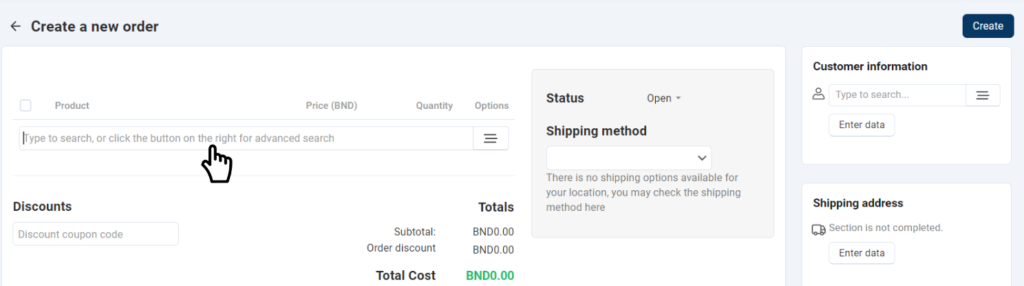
3. Add product information and any discount if applicable.
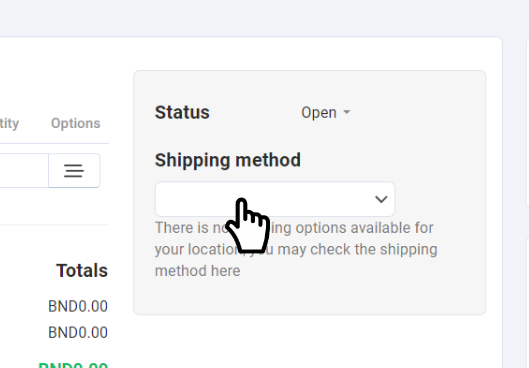
4. Select the shipping method.
5. Enter the customer’s information.
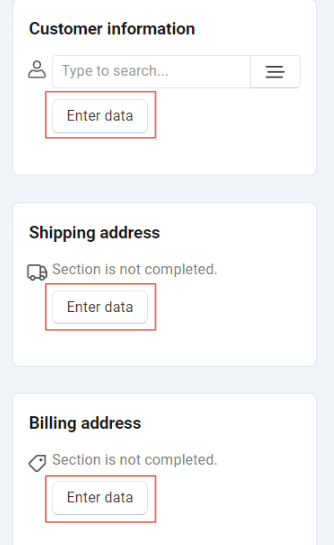
6. Click ‘Create’ to complete the order setup.
Generate and Share Payment Link
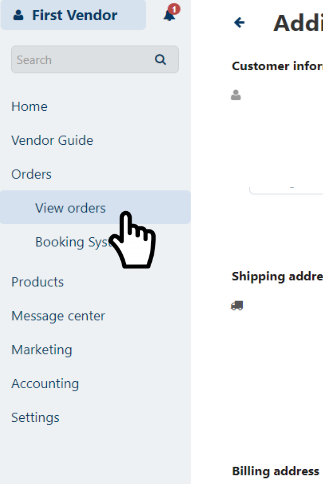
7. Navigate to Orders > View Orders from the side menu.
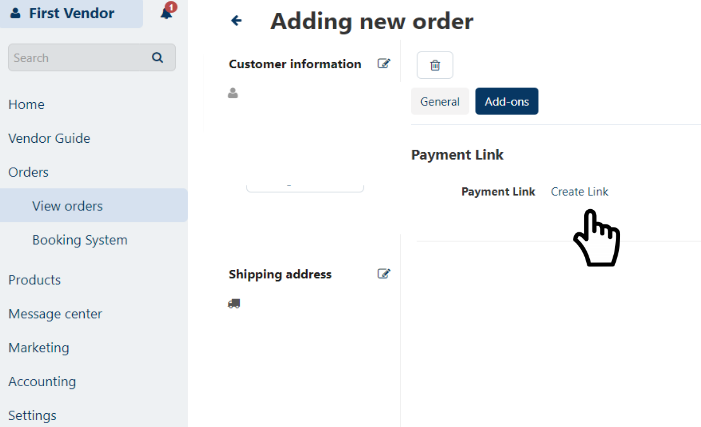
7. Click “Create Link” to generate a payment link.
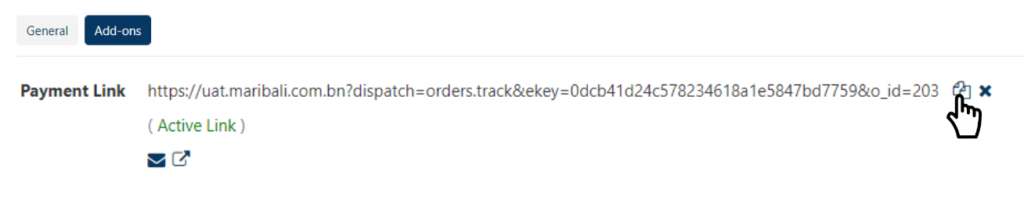
8. Copy the link and send it to the customer.
Payment Process
- The payment link directs the customer to the payment page.
- The link can be used only once by one customer. For additional customers, create separate orders and links.
- You can also send the link to customers who are not current Maribali users.