
How to create a bonus coupon
You can create bonus coupons for customers. Customers enter codes of those coupons at checkout to get various bonuses, such as discounts, free products, or free shipping.
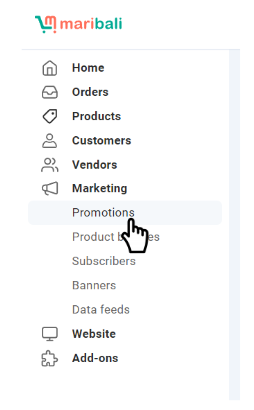
1. To create a bonus coupon, go to Marketing > Promotions.

2. Click on “+ add promotion” and select “add cart promotion” from the dropdown menu.
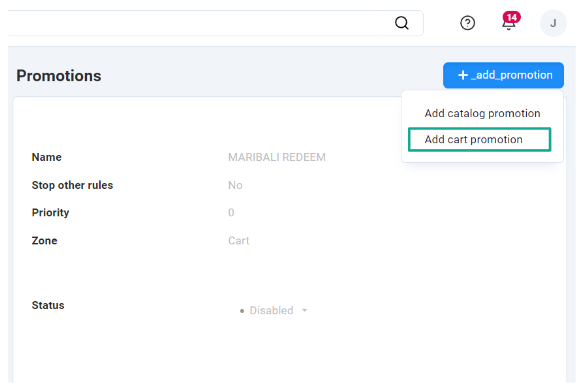
3. Fill in the fields on the General tab. Make sure your promotion has a Name, and that the Status is set to Active.
4. Switch to the Conditions tab and click the Add condition button.
5. Select Coupon code from the dropdown list.
6. Your promotion can use either one, or multiple coupon codes:
- To use one coupon code: choose equal and enter the coupon code. Don’t use commas (,) in the code.
- To use multiple coupon codes: choose in and enter multiple coupon codes separated by commas without spaces after them. For example, to have codes test1, test2, and test3, enter them like this:


7. Switch to the Bonuses tab and click the Add bonus button.
8. Choose any desired bonus and configure it.
9. Click the Create button.
Redemption of bonus coupon
Customers can apply the coupon code during checkout and a pop up message will appear.
Example of a backend set up of bonus coupon:


Example of redemption of coupon code at storefront: